Enemy AI - Targeting Behavior
My first task as we began in-engine development of this project was to produce the core AI systems that would define enemy behavior in our game. With our resident AI expert busy with work and our other AI programmer occupied by personal matters at the time, I wanted to ensure that I had solid thought processes behind the systems I was about to engineer even more than I would usually, since it was likely that these teammates would eventually need to utilize them in the future. This resulted in a document outlining rules of AI behavior and how they would be enforced behind the scenes. After receiving feedback from my teammates and iterating a bit, I began first with the AI targeting system.
The targeting system is based upon a "ticketing" model that I had previously seen described as a tool for group combat scenarios (which I also elected to implement for that system, more on that later). Each player character has a limited resource, called "tickets", which enforces a limit on the number of enemies that may be targeting them at any given time. This is done to ensure a somewhat balanced spread of combat engagements as more players get involved. We would not want a scenario in which all of the enemies in a level focus their efforts on one out of four players because of one of our targeting rules. This system simulates the thought process: "A lot of my allies are already focused on this opponent, so I'll take on someone who isn't dealing with as much right now".
Initially, my rules for target selection were very complex. They required the enemies to do several comparisons each time they had an opportunity to select a target, factoring in things such as the distance and current health of each candidate and weighting each value to calculate the most optimal opponent to focus on. The intention was to create enemies that could react rationally to the combat situation around them as it progresses in real time. In practice this proved fairly difficult to properly implement. As I talked things over with my teammates and began to program, I gradually removed much of the "optimal target" calculations from my planning and simplified my design to be event-focused and solely concerned with combat engagement size and proximity. This more streamlined approach proved significantly easier to implement, and ironically, felt like much more natural video game enemy behavior while testing!
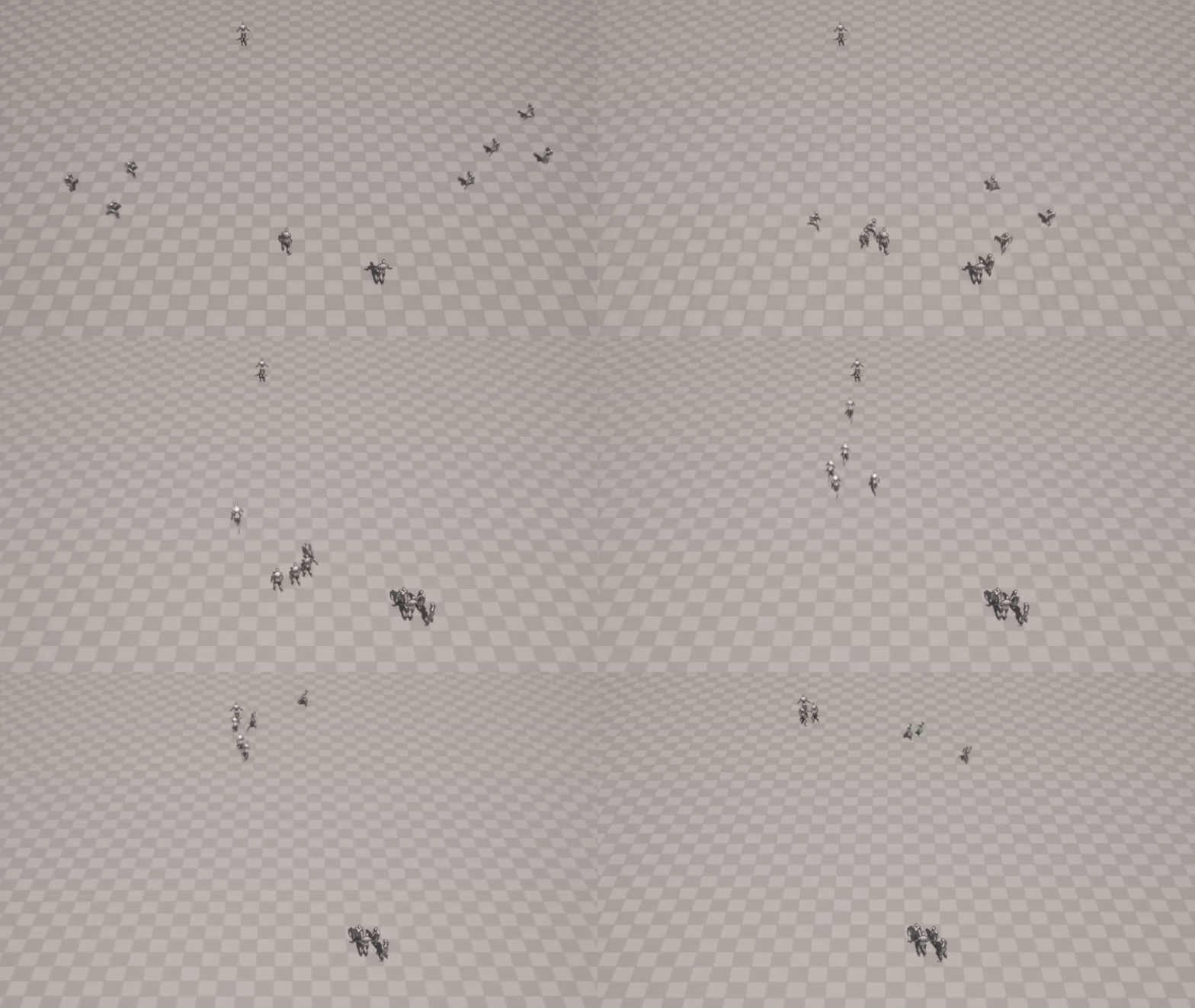
As you can see in the GIF above, enemies initially select the nearest target to them. If that character were out of engagement tickets, the enemy would select the next nearest character. When you see the two enemies peel off the controlled player to target the dummy player standing alone, it's because they are considering other target candidates during their movement. The nearby dummy had dispensed more than one ticket fewer than the number of engagement tickets that the controlled player had given out, so those two enemies decided to engage that dummy. Enemies additionally reconsider their choice of target when being attacked (they track sources of recent damage and will fight whoever is currently causing them the most trouble), and when their target is defeated (same considerations as when initially selecting a target).
Enemy Prototyping - Combat Behavior
I enjoyed getting my second ever opportunity to craft a Behavior Tree in Unreal. The first one I built for Chaos Pattern was super simple, while this one took much more work and iteration to get things right. Similar to my targeting concept, the current tree is much more refined and simplified compared to how things started out. As I spent more time with it, I learned how to leverage the Decorator and Service objects to get the exact behavior I wanted and better control the flow between different states.
Speaking of states, it was actually thinking about the tree in terms of states that really helped me to figure out how to use the Behavior Tree tool. It was certainly true for me that at first glance, looking at how BTs are laid out with all the branching paths and sequences of tasks doesn't bring to mind the standard kind of graphs we're used to with very clearly defined transitions. But, getting to know the system more, it really is just a way of defining states and then being able to express the behavior that you want to occur while in that state (at least, that's how I like to conceptualize it!).
For this enemy prototype, I defined four behavioral states in the BT: an "Occupied" state with no defined behavior, which is entered when the enemy is stunned or otherwise unable to act; a "Chasing" state, where the enemy moves toward their target while a Service runs to search for more optimal targets that may approach while moving; a "Combat" state, where the enemy selects their next action and progresses through any combos; and finally, a "Waiting" state in which the enemy strafes around their target while their aggressive actions are on cooldown. Building this strafing functionality allowed me to better acquaint myself with Unreal's EQS system, which I was introduced to on Chaos Pattern, and the possibilities of what it can help accomplish in the future have me pretty excited.
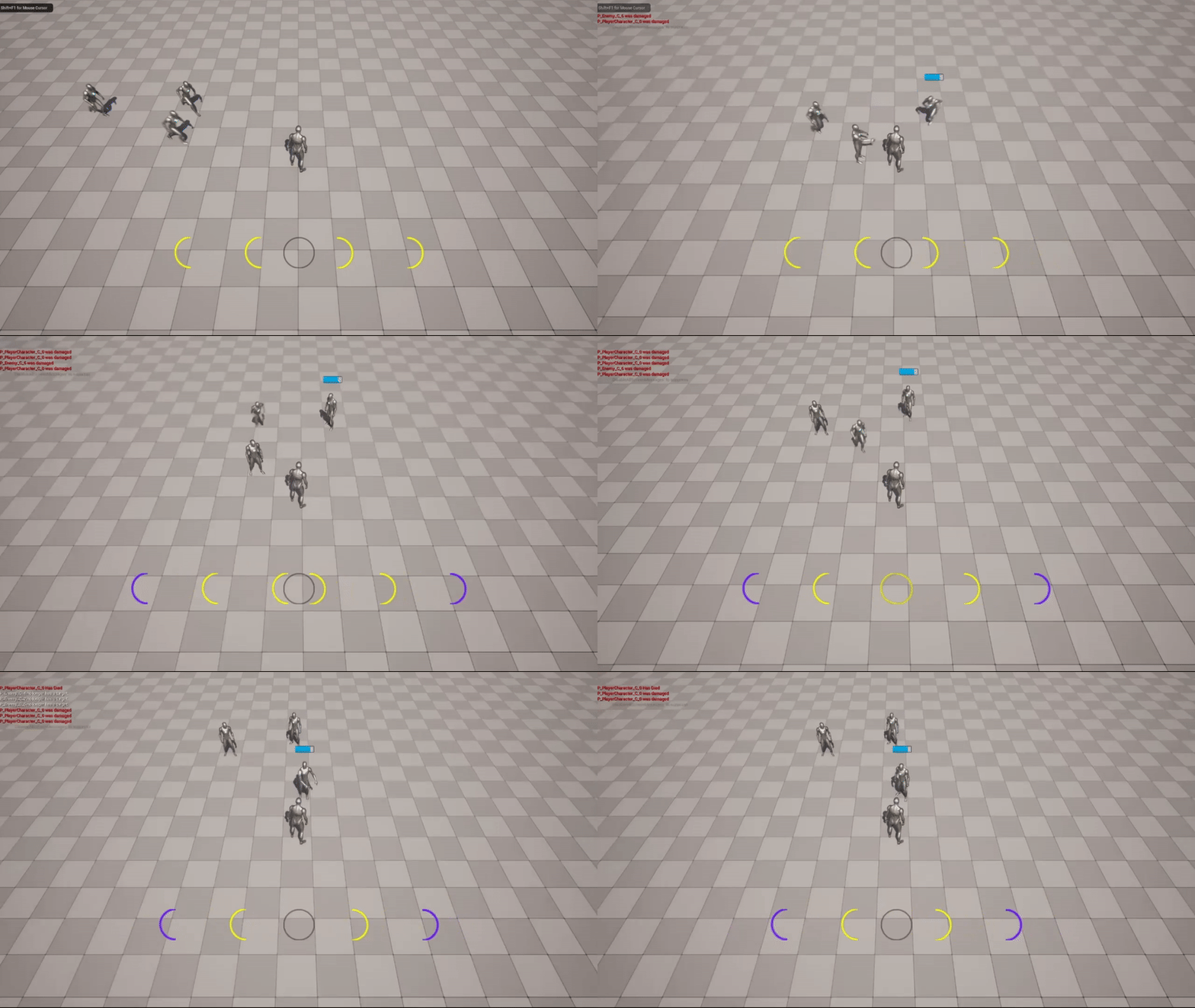
As I mentioned earlier, combat is governed by a separate ticket system which limits the intensity and number of attacks that can be launched at a player at any given time. That's why the enemies in the GIF above take turns performing their punches before retreating to a comfortable distance.
The cooldown system I was able to create for these attacks is fairly interesting to me since I wasn't able to find any how-tos online that showed a similar solution. I wanted cooldown to be handled within the BT itself, and I was able to accomplish that with a custom Decorator. The condition check simply checks a local IsOnCooldown boolean. Meanwhile, the ReceiveExecutionFinishAI event waits for the attack sequence lower in the BT to finish, sets the boolean to true, then sets a timer to flip it back later. This prevents the BT from repeating the attack action over and over, forcing itself into the strafe state (or to try another action) until enough downtime has passed. The Decorator takes the type of action it's meant to watch as input, which allows it to look up the appropriate cooldown time set elsewhere and enables it to be reused for any enemy action. When programming this, I wasn't able to find any specifics on what exactly triggered that ExecutionFinish event, so I was happy to find my assumptions confirmed and use it for a unique solution to a common feature.
Player Prototyping - Animation and Mechanics
In this section, you'll see that the characters look quite a bit different. That's due to the team going through a development reset of sorts (more on that later) which began with the creation of a custom placeholder character model. Actually, I'm the one who created this model! Obviously, it's nothing special, but having recently learned the basics of Blender for a different project, I jumped at the opportunity to be the one to make our prototype guy. We call it Tofu after the secret character in Resident Evil, who the great Robert Howard tells me was also used for early prototyping purposes and bears a striking resemblance.
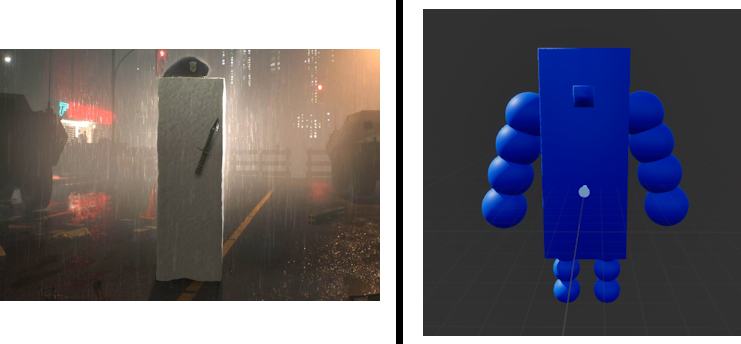
I made each arm and leg segment into a separate piece that is parented by the piece it's attached to, allowing me to animate the character when importing to Unreal. Animations were my first priority in fact, as I felt that having some expressiveness in animation would really help to enhance the enjoyability of the prototype gameplay and convey the vision for the game. I quickly learned the in-engine animation process, developing idle, attacking, and blocking animations.
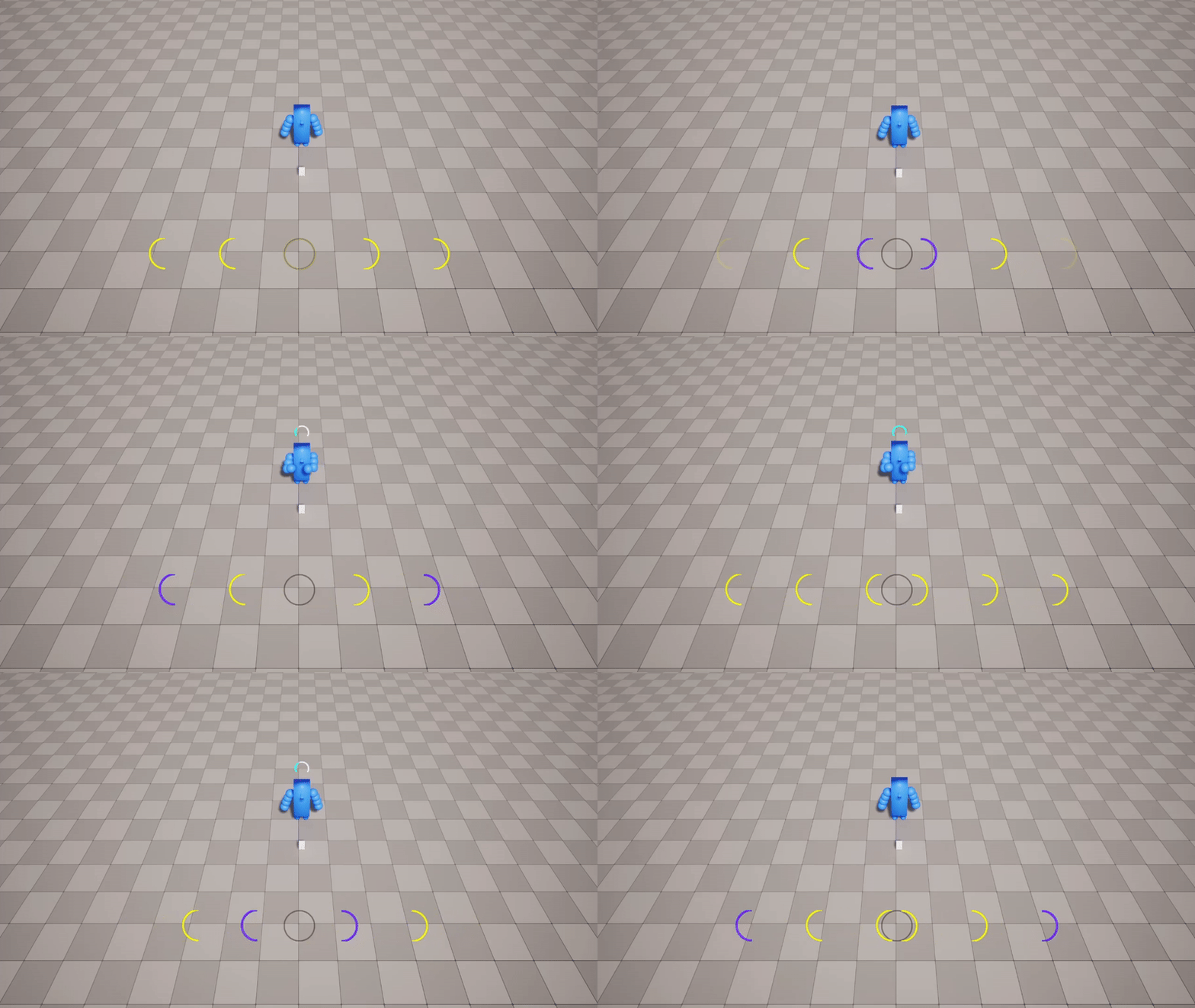
In the GIF below, you can see some of this in action. Our game is an action game that incorporates rhythm elements, similar to Hi-Fi Rush. To tie into that theme, I gave the characters a bouncy idle animation which uses very slight scaling and translation to give the impression that the characters are moving with the beat of the music. All the enemies in the game will utilize attacks which fall in rhythm and have tells to warn the players that they're about to strike. These enemies dramatically pull back their fists to show that they are about to punch, and I also decided to include an exclamation mark above their head to further emphasize the incoming threat. For the player's attack, I was testing out a quick, instant attack, so their motion isn't nearly as prominent. To emphasize the impact of attacks, I included on-hit effects. When hit, characters are knocked back a small distance and their bodies flash as well. Enemies also may have their attacks interrupted if they are not tough enough to stay poised after being hit.
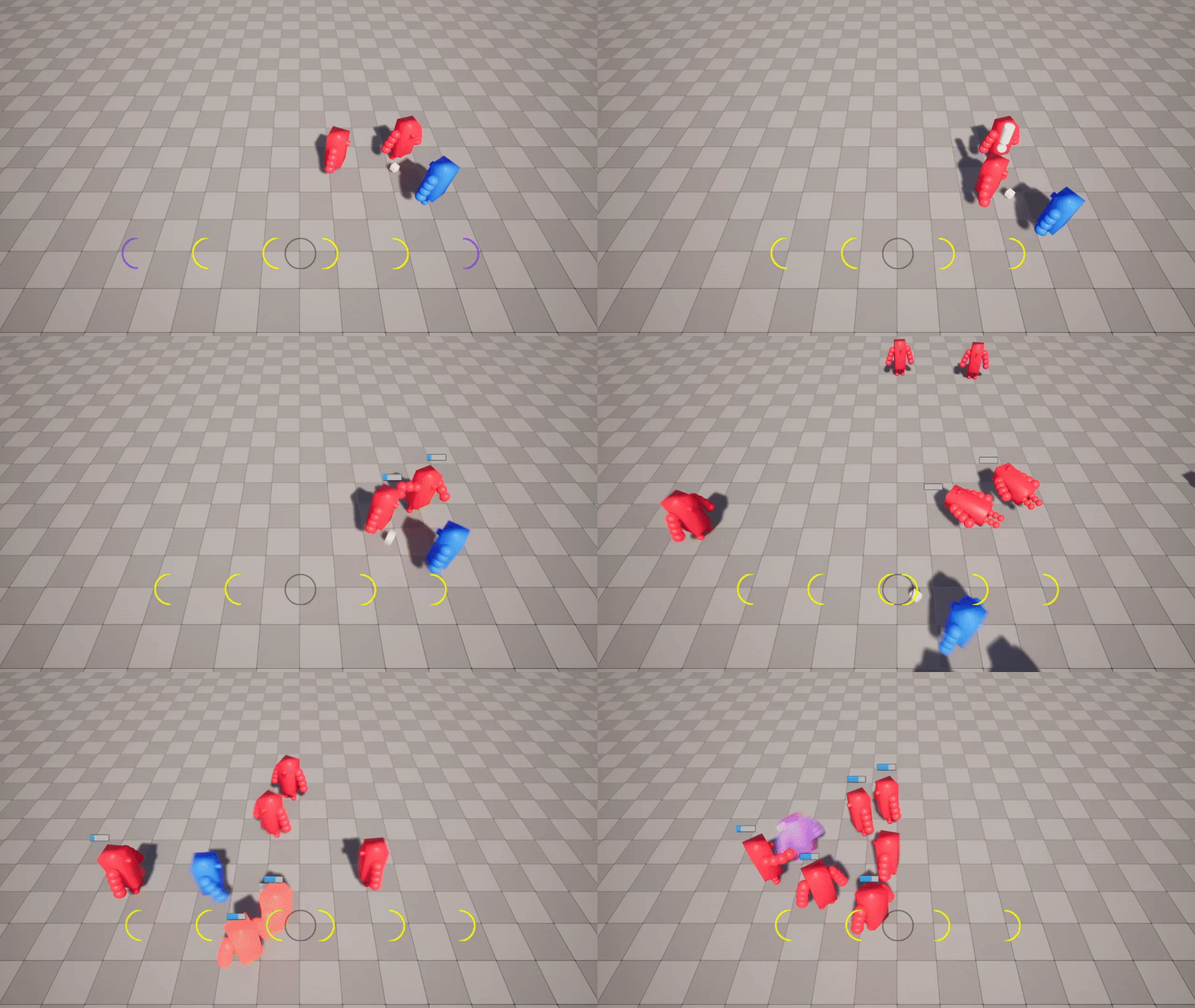
One mechanic I spent a while on was blocking. The system I ultimately decided to try out was one in which the player could maintain a blocking stance for a certain period of time (four beats) before they would be forced to wait for a cooldown. The cooldown also triggers as soon as the player leaves the stance though, so if the player is good at timing their blocks, they won't need to worry about maxing out their usage. The team has decided to go in a different direction at the moment, but they all agreed the mechanic was nicely made. Such is the way of prototyping.
There's even more I could get into with this update, but I'll save some for another time. As far as the Shawnee XP program went, it was a fantastic couple of months for me. Our team was able to receive a great amount of wisdom from the industry veterans who spoke there, and I thoroughly enjoyed befriending the other teams who were present. Hopefully we'll be able to make great leaps in our progress this year, and I'll try my best to publish logs more frequently so they don't wind up too massive.
On Prototyping
Before I finish, though, I'd like to tell a cautionary tale to any team at the beginning of developing their first project. Our team, retaining the same approach we had learned through our college program, initiated development of our concept through our game design document. After pitching to each other and considering several ideas, we selected one that we felt would be the most interesting to work on and plausible to create, and then we began to expand the concept in great detail until we had a game that appeared well thought-out on paper. Once this task was complete, we began to prototype some of the more questionable game features we had planned in order to determine whether or not we would be able to include them in the final product.
In retrospect, we did not truly prototype our project at all during our original prototype phase (something we quickly learned from our mentors at the Shawnee XP program). Typically in professional game development, a finished game prototype includes all aspects of the core game design. This would be the art style, the player mechanics, and any systems that you would frequently interact with on a minute-to-minute basis. Ideally, a team would complete all of this before drafting any documents that define every aspect of the game experience. The prototype phase is meant to verify the enjoyability of a game concept, not just the viability of it, and that's a key piece that we missed in our planning.
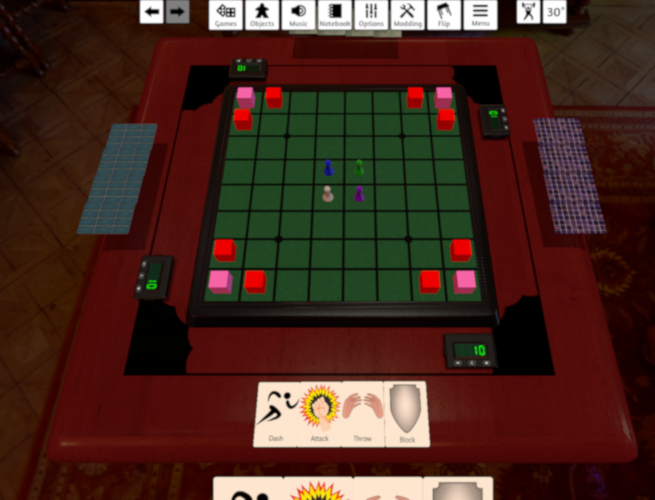
This proved to be a major setback to our timeline, as it essentially meant that all the work we thought we were putting into production of the game was really still prototype work. We decided that the best course of action would be to pause all the work we were currently doing, develop and playtest what's called a "paper prototype" of our game concept (which we did through the game Tabletop Simulator), and then produce an in-engine prototype based on what we found to be fun within that version of the game. To me, this felt like a much more sensible approach to developing the project, as it prompted much more discussion and criticism of the design that couldn't really come up to the same extent when writing our design document because we simply had no way of knowing what worked well at that point. Playing out an analogue of our gameplay loop in Tabletop Simulator gave us some much-needed clarity about what was best about our concept and what needed fixing. Now, we have a well-defined idea of what we need to develop in order to produce a viable prototype and are well on our way towards that goal.
If you would like more information on game prototyping, I highly recommend listening to this video of a talk given by Sony developer Mark Cerny. While quite old at this point, I think that the principles and philosophy behind his advice hold up, and it completely changed my perspective on the early game development process. Of course, game development is an art, not a science, and any approach could theoretically result in a fantastic product. However, I personally feel that the method recommended by Cerny makes a lot of sense, and it has had a noticeably positive impact on my team's progress thus far.